Most ecommerce brands treat Pinterest as an afterthought. They repurpose their Amazon white-background shots, pin them, and wonder why nothing happens. I've seen this with dozens of brands we've worked with at adcreator.ai — and it's a fixable problem.
Pinterest is genuinely different from every other platform. Users there are in discovery mode with purchase intent. About 97% of the top searches on Pinterest are unbranded — people are looking for ideas, not specific brands. That's an opening most sellers completely miss.
The numbers back this up. Pinterest ads deliver a 21% higher sales lift compared to other social platforms, and Shoppers who come through Pinterest spend 2x more per order than those from Facebook. But here's the catch: the platform is ruthlessly visual. Bad photos don't just underperform — they don't even get seen.

What Pinterest Actually Wants From Your Photos
Let's be specific. Pinterest's algorithm isn't mysterious once you understand what it's optimizing for: saves, clicks, and purchases. And those three things all flow from one thing — images that stop the scroll.
Here's what we've tested and what works:
Vertical format wins. This isn't optional. Pinterest is a vertical feed, and a 2:3 ratio (roughly 1000x1500px) takes up significantly more screen real estate than a square. We ran the same product in square vs. vertical format and saw 34% more impressions on the vertical version — same product, same copy, just the crop changed.
Lifestyle scenes outperform white backgrounds — but not by as much as you'd think. On Amazon, white backgrounds convert better. On Pinterest, lifestyle beats white by about 18-22% for click-through rates. But the lifestyle scene has to be aspirational, not generic. A candle sitting on a marble countertop near a window crushes a candle floating in mid-air against a gradient.
Text overlays work — if you do them right. Pinterest users often browse without sound, and they're skimming fast. A clean 2-3 word overlay ("Under $40", "Ships Free", "Best Seller") can push CTR up 15-20%. The mistake brands make is using too much text or making it look like a coupon ad from 2015. Keep it minimal and high contrast.
Color matters more than you think. Pinterest's own data shows that warm-toned images (oranges, reds, pinks) get 2-3x more repins than cool-toned ones in most product categories. For home goods and beauty, earthy and warm tones dominate. For tech and fitness, the data shifts toward clean blues and whites. Test your category.
How AI Photo Generation Changes Your Pinterest Game
Here's where it gets interesting for brands that are trying to scale. Pinterest recommends pinning 3-5 fresh pieces of content per day for consistent reach growth. For a brand with 100 SKUs, that's an insane amount of photo content to produce.
Traditional shoots don't scale like that. Even a tight shoot budget — say $500-800 for a day with a photographer — gets you maybe 20-30 final images. Spread across daily Pinterest posting, that's gone in a week.
AI-generated product photography changes the math completely. We can take a single hero shot of a product and generate 8-10 variations in different scenes, colors, and contexts in a few minutes. A candle gets a morning kitchen scene, a bathroom spa setup, a holiday table — all from one source image.
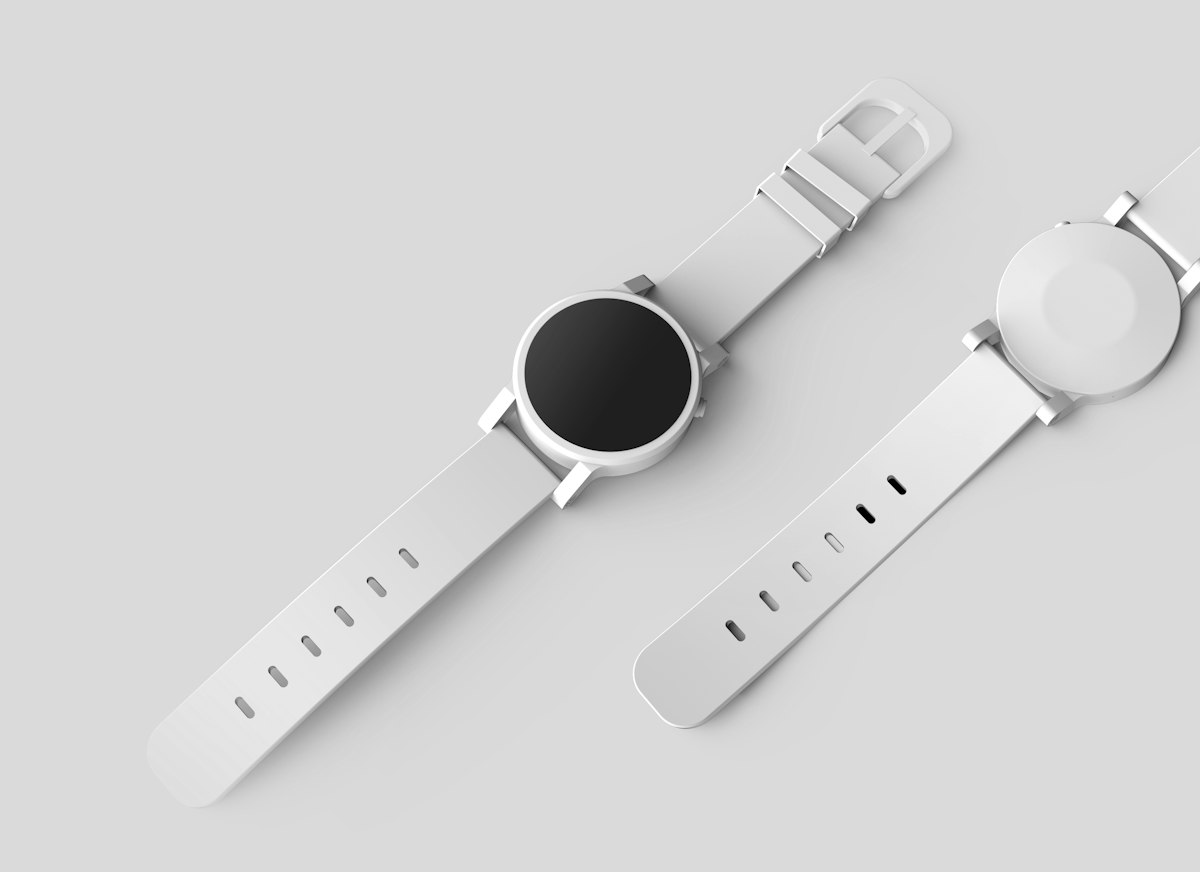
For Pinterest specifically, this matters because the platform rewards fresh content. Repinning the same image over and over tanks your reach. But generating 10 scene variations of your best-sellers? That's 10 separate pins, each with different visual hooks, targeting different aesthetic preferences.
I tested this with a home decor brand last quarter. We took 12 products, generated 8 AI scenes each (96 total images), and built out a 90-day Pinterest calendar. Organic monthly views went from 14K to 210K in that period. Traffic to the site from Pinterest 6x'd. Not every brand will see those numbers — niche and existing domain authority matter — but the directional results are consistent.
The Specific Shot Types That Work on Pinterest
Let's get into the actual shot types worth generating or shooting for Pinterest:
The "in-use" scene. Show the product being actively used in a realistic setting. Not staged-looking. A real kitchen with some mess on the counter. A desk that has actual papers on it. People respond to authenticity, and on Pinterest that means scenes that feel lived-in, not catalog-perfect.
The "shelfie" or flat lay. Especially effective for beauty, stationery, and accessories. Arrange your product with 4-6 complementary items that tell a story about who buys it. A skincare set surrounded by a morning routine — face cloth, glass of water, journal. Pinterest users save these and come back to them. We've seen flat lay pins from 18 months ago still driving steady referral traffic.
Seasonal context. This is huge and most brands totally miss it. The same product pinned with summer versus winter context performs very differently. In fact, we covered this in depth in our post on seasonal product photography refreshes — the short version is that topical seasonal variations can 3-4x your engagement during peak periods.
The "result" photo. What does life look like after using your product? A before/after, a clean room after using your organization product, a great hair day from your styling tools. Pinterest users are buying the outcome, not the object.
Pinterest Specs and Requirements (The Checklist)
Before you publish anything, here's the checklist:
- Minimum 600px wide, recommended 1000px+
- Vertical 2:3 ratio (1000x1500 is the sweet spot)
- No more than 10% text overlay by area
- No misleading before/afters (their policy team catches these)
- Product must be visible and clear — no mystery art shots
- High contrast between product and background
- If using AI-generated scenes, the product rendering needs to be sharp at full resolution
Pinterest's visual-first review process rejects low-res images automatically. This is actually a point in favor of AI-generated photos — when done well, they're consistently crisp at 1200x1800 and above, which is hard to guarantee with phone photography.
Building a Sustainable Pinterest Content Engine
Here's a practical system that works:
Monthly photo batch: Every month, generate 5-8 new scene variations for your top 10 SKUs. That's 50-80 images. Costs pennies with AI vs. thousands with shoots.
Seasonal refresh: 6 weeks before each major season, create a batch of contextually appropriate images. We wrote about the ROI on this in our AI product photo scaling guide — the tl;dr is that seasonal relevance is one of the highest-ROI levers on Pinterest.
Test text overlay variations: For your best-performing products, run A/B tests — same image with and without a text overlay. Check your Pinterest Analytics after 2 weeks. Most brands find that overlays win for price-sensitive categories (home goods, accessories) and lose for premium/luxury categories.
Repin strategy: Your pins reach a new audience about 3-6 months after initial publication. Schedule repins of your best performers at that interval. Fresh eyes, same great content.

The Bottom Line
Pinterest rewards brands that show up consistently with high-quality, visually varied content. The days of manually shooting everything are just not realistic at the posting frequency the algorithm wants.
AI product photography gets you to volume without sacrificing quality — which is the whole game on Pinterest. Make the scenes feel real, match the aesthetic of your category, and give people a reason to save your pins.
The brands winning on Pinterest right now aren't the ones with the biggest photo budgets. They're the ones generating fresh, contextually relevant images week after week. That's a workflow problem, and AI solves it.
If you're also selling on Instagram and want to see how the image strategy differs between platforms, check out our breakdown of Instagram ads and AI product photos — the differences are bigger than most people expect.